Enterprise Streaming Platform
Complete control for operators. Immersive experiences for fans. Built for scale with cutting-edge technology.
Complete Control at Your Fingertips
Our powerful Admin Dashboard gives operators full control over streaming operations, from event management to real-time monitoring and analytics.
Event Management
Schedule, configure, and manage live events with drag-and-drop simplicity. Set up camera arrays, define viewing packages, and control access.
Real-Time Monitoring
Live dashboards showing viewer counts, stream health, camera status, and system performance. Instant alerts for any issues.
Analytics & Reporting
Deep insights into viewer behavior, engagement metrics, camera preferences, and revenue tracking. Export reports and integrate with BI tools.
Automated Testing
Built-in testing tools to verify stream quality, camera feeds, and system connectivity before going live. Pre-flight checklists ensure smooth events.
Security & DRM
Enterprise-grade security with DRM protection, geo-blocking, token authentication, and encrypted streams. Protect your premium content.
Multi-Tenancy & RBAC
Support multiple organizations with isolated environments. Role-based access control ensures the right people have the right permissions.
Interactive Players for Immersive Viewing
SWITCHHD and SWITCH360 put fans in control with interactive multi-angle viewing, telemetry overlays, and seamless multi-device support.
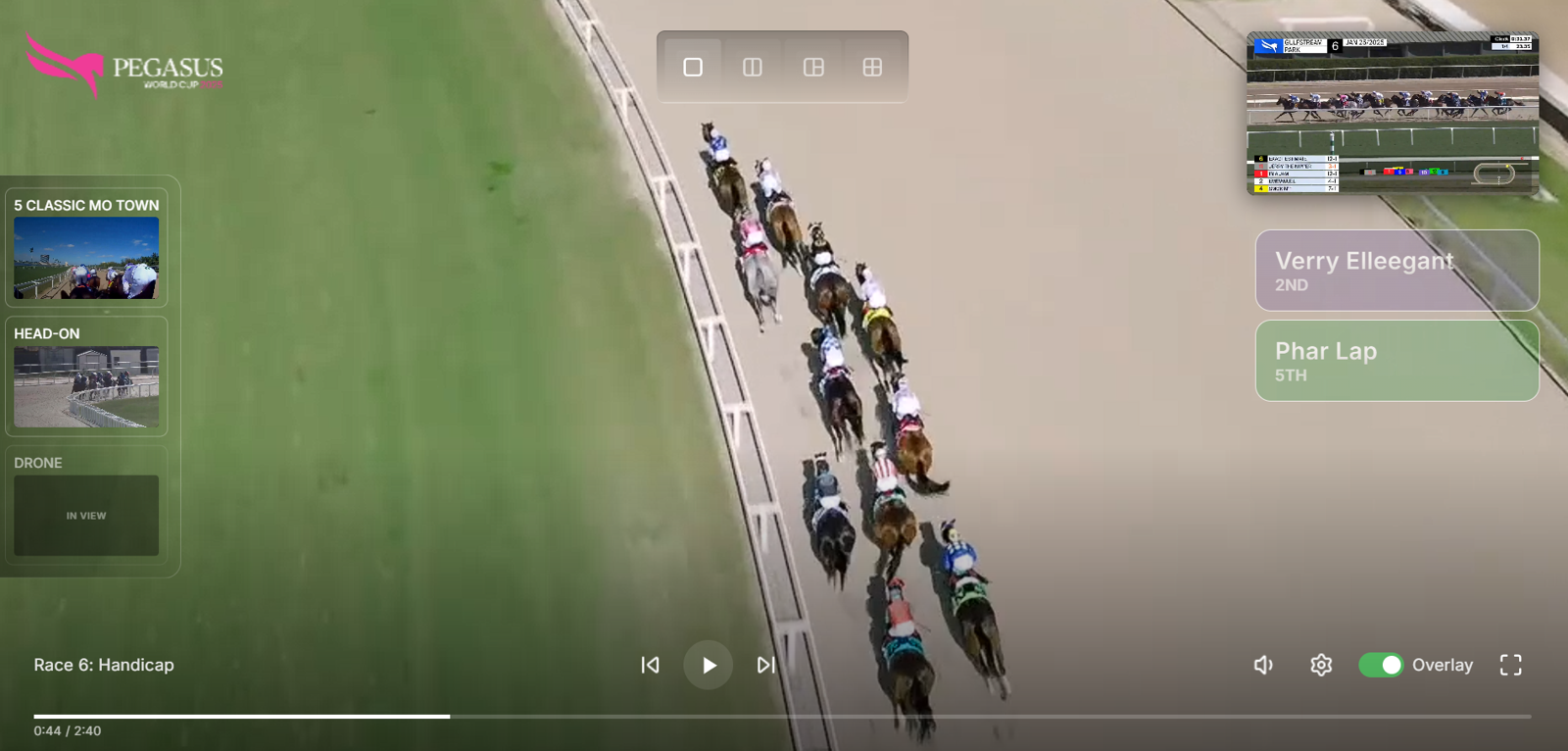
SWITCHHD
Multi-angle HD streaming with viewer-controlled camera switching. Fans choose their perspective with instant, synchronized transitions.
- Up to 16 simultaneous HD camera feeds
- Low-latency camera switching
- Real-time telemetry overlays
- Picture-in-picture mode
- Synchronized audio across all angles
Interactive Player Tutorial
Click the hotspots to explore SWITCHHD features or take the guided tour
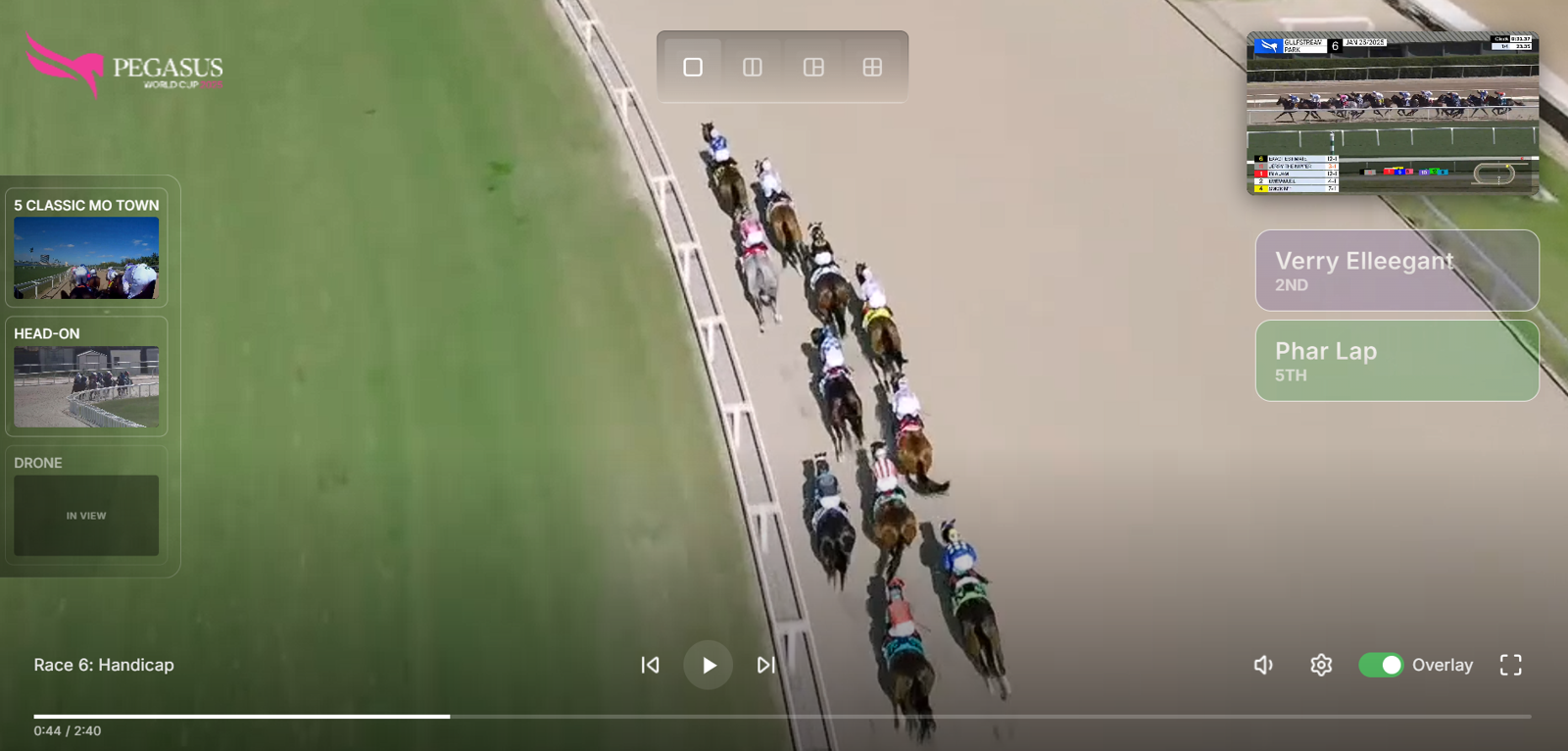
Camera Selection
Switch between multiple camera angles including "Classic Mo Town", "Head-On", and "Drone" views. The "In View" indicator shows your current active camera.
Layout Options
Choose your viewing layout: single view, side-by-side split, or multi-grid display to watch multiple angles simultaneously.
Race Overview
Picture-in-picture mini-map showing the full race view so you never lose track of the overall action while watching close-ups.
AI Horse Tracking
Real-time position cards showing horse rankings powered by AI. Track "Verry Elleegant" in 2nd and "Phar Lap" in 5th with live updates.
Playback Controls
Standard playback controls including previous race, play/pause, and next race. Progress bar shows current position (0:44 / 2:40).
Settings & Overlay
Volume control, settings gear, overlay toggle for telemetry data, and fullscreen mode. Enable "Overlay" to see real-time statistics.
Camera Selection
Switch between multiple camera angles including "Classic Mo Town", "Head-On", and "Drone" views. The "In View" indicator shows your current active camera.
Layout Options
Choose your viewing layout: single view, side-by-side split, or multi-grid display to watch multiple angles simultaneously.
Race Overview
Picture-in-picture mini-map showing the full race view so you never lose track of the overall action while watching close-ups.
AI Horse Tracking
Real-time position cards showing horse rankings powered by AI. Track horses with live updates throughout the race.
Playback Controls
Standard playback controls including previous race, play/pause, and next race. Progress bar shows your current position.
Settings & Overlay
Volume control, settings, overlay toggle for telemetry data, and fullscreen mode. Enable "Overlay" to see real-time statistics.
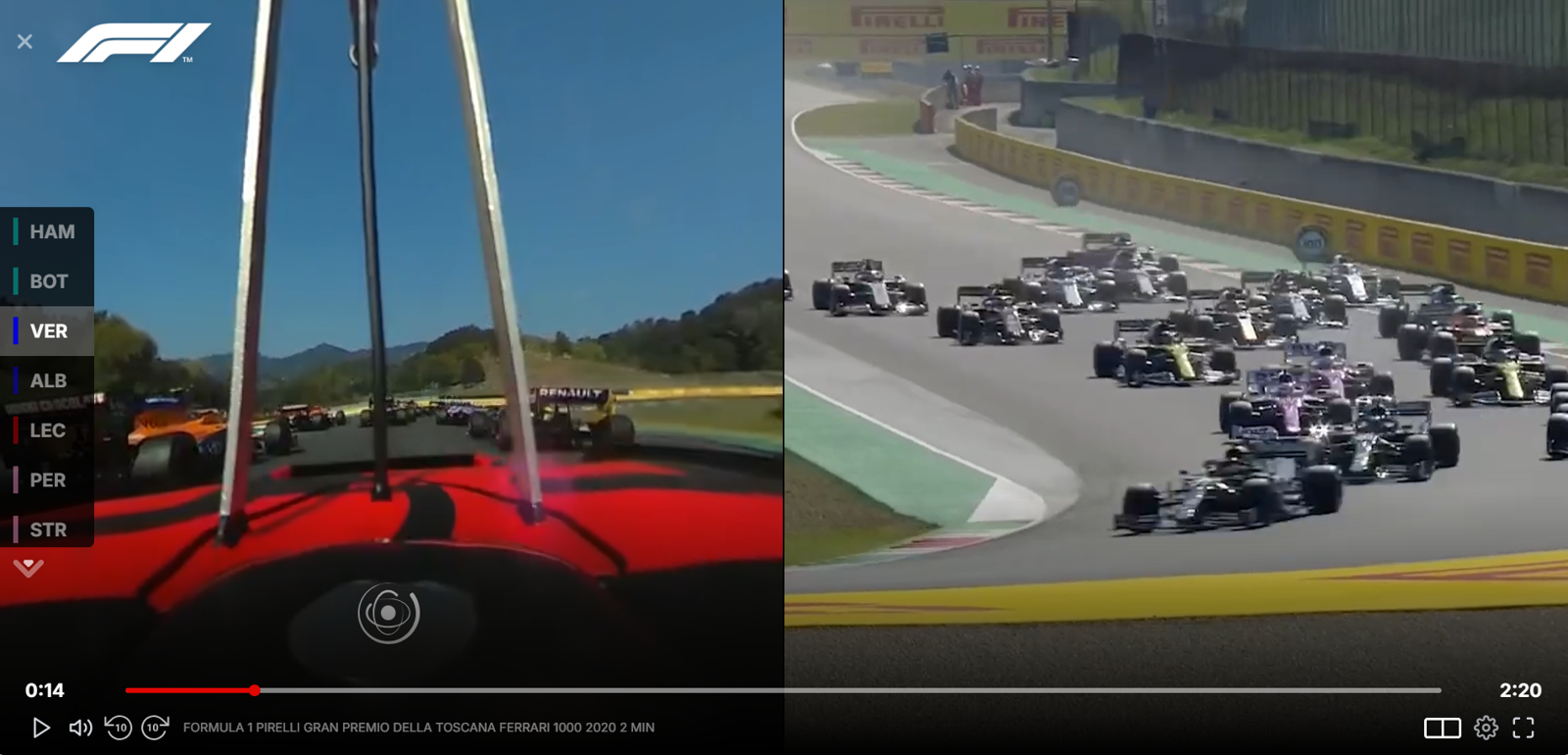
SWITCH360
Full 360° panoramic immersion with AI-powered tracking. Fans explore the venue and follow the action from any angle they choose.
- True 360° panoramic streaming
- AI-powered subject tracking
- VR headset compatible
- Touch, gyroscope, and gesture controls
- Hotspot navigation
Multi-Device Support
Key Differentiators
Multi-Cloud Support
Deploy on AWS, Azure, or GCP. Hybrid cloud options available for maximum flexibility and redundancy.
Real-Time Sync
Low latency across all camera angles. Fans see the action in perfect sync, no matter which view they choose.
Drag-and-Drop Dashboard
Intuitive admin interface requires no technical expertise. Configure events, cameras, and access in minutes.
AI Tracking
Advanced AI for horse racing identification and tracking. Automatic subject following in 360° environments.
Technical Highlights
Built with modern, scalable technologies for enterprise reliability and performance.
React Frontend
Modern, responsive UI built with React for smooth, app-like experiences across all devices.
WebSockets
Real-time bidirectional communication for instant camera switching and live telemetry updates.
PostgreSQL
Enterprise-grade database for reliable event data, user management, and analytics storage.
AWS Integration
Deep integration with AWS services: CloudFront CDN, MediaLive, S3, Lambda, and more.
Enterprise Security
DRM, encryption, token auth, and geo-blocking to protect premium content.
Auto-Scaling
Infrastructure that scales automatically from thousands to millions of concurrent viewers.
Ready to See BestSeat360 in Action?
Schedule a personalized demo and discover how our platform can transform your streaming experience.